
SECURE
We value your privacy and protect your financial and personal data with full encryption and advanced fraud protection.

A professional PDF editing tool for users to edit and convert scanned PDF with leading-edge OCR technology.
Wondershare PDF Editor for Mac is an all-in-one solution for all your PDF tasks. It is specifically designed for individuals and small or medium businesses to manage and process any PDF files, such as tax returns, legal documents, business invoices, medical reports, administration forms, and more.
 Create PDFs from Web Pages/Images/Text Files
  Edit PDF Contents
  Convert PDF to Other Document Types
  Review and Mark up PDF Files
  OCR to Digitizes Text in Scanned PDF
  Sign PDFs with Your Personalized Signature
| PDF Editor | PDFelement 6 |
|---|
|
Create PDFs from web pages/images/text files |

|

|
|
Add, delete, and correct text with automatic reflow |
|
|
|
Insert, delete, and crop images in a PDF file |
|
|
|
Insert, delete and extract PDF pages in a PDF file |
|
|
|
Merge or split PDF files to create new PDF files |
|
|
|
Mark up and annotate PDF with a range of tools |
|
|
|
Create stamps by typing/drawing/capturing picture |
|
|
|
Convert native PDF files to Microsoft Word |
|
|
|
Protect PDF files with passwords |
|
|
|
Fill out and save static PDF forms |
|
|
|
Customize and edit PDF forms from templates |
|
|
|
Edit and convert image-based PDF with OCR |
|
|
|
Convert PDF to Excel/ PPT/ EPUB/ HTML/Text |
|
|
|
|
|
|
|
|
|
|
|
TRY IT FREE 
|
TRY IT FREE
|
You can easily create new PDFs from web pages (.html, .htm), images (.png, .jpeg, .jpg, .bmp, .tiff, .bmp), and text (.rtf, .rtfd, .txt) files. The newly created PDFs are 100% compatible with Adobe Reader, Acrobat, and other PDF applications that you may find on the market.
The Combine feature is another convenient way to merge and convert multiple files into one single PDF document.

Wondershare PDFelement for Mac works just like a Word processor, but in an even better way! Everything is simple and straightforward. You can effortlessly add, delete or edit any content, including text, images, and watermarks.
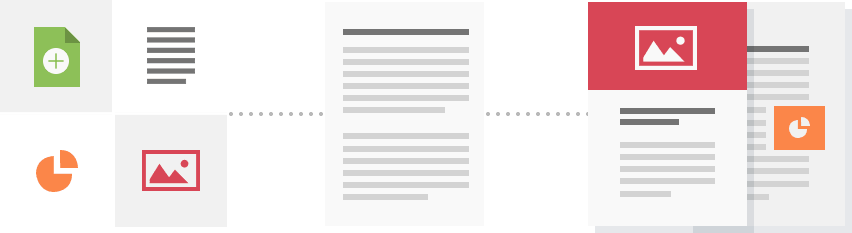
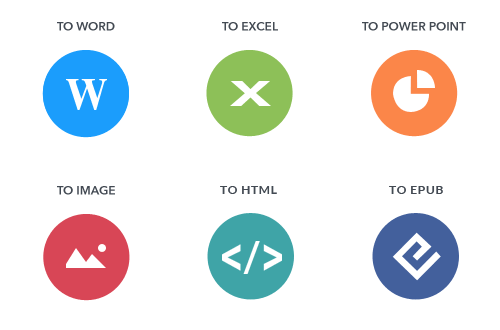
PDFelement for Mac is a great tool to convert PDFs to multiple file formats, including Microsoft Word, Excel, PowerPoint, Text, HTML, and more, giving you maximum flexibility in working with PDF documents.

PDFelement for Mac provides a handy toolbar with highlight, underline, strikethrough, sticky note, arrow, stamp, and a variety of mark-up tools for reviewing & adding annotation.
PDFelement for Mac comes with a built-in high precision OCR (Optical Character Recognition) feature, which can digitize image-based PDF files into editable text formats.
The OCR technology from Wondershare now supports up to 11 different languages.
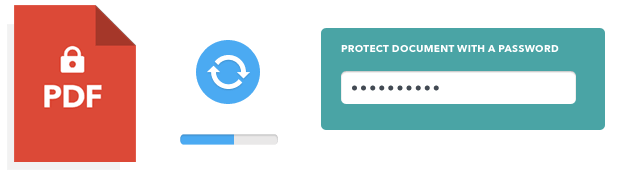
Add security passwords to protect your PDF files from being opened, or set user restrictions for changing the PDF content like editing and printing.
 Create PDF files
 Edit text in PDF files
 Navigate PDF files
 Convert PDF files to other formats
75 REVIEWS
If you are looking for reasonably priced software to edit and convert PDF files, this is a decent choice.
Quintin Hisey
Very easy to use with intuitive tool bars and menu options. It won't take much time to get used to the wide variety of options this software can provide.
Dirk Hennen

We value your privacy and protect your financial and personal data with full encryption and advanced fraud protection.

Knowledgeable representatives available to assist you through instant live chat and email response within 24 hours.

Try before you buy with a free trial – and even after your purchase, you're still covered by our 30-day, no-risk guarantee.
Convert PDF to Word, Excel, PowerPoint, EPUB, HTML, Text and images in Mac OS X Lion and Mountain Lion. Learn more
Convert PDF files to iWork Pages and Microsoft Office documents, as well as digitize text on images-based PDF scans with OCR technology. Learn more
A simple yet powerful EPUB Creator for you to create your own EPUB eBooks on Mac. Learn more
Browser compatibility : IE/Firefox/Chrome/Opera/Safari/Maxthon/Netscape

